
Audio Lab MusicVoice Editor
Overview
Audio Lab MusicVoice Editor is a free iOS application designed for users seeking a straightforward tool to edit audio and record voice directly on their iPhone. Developed by Anzhela Kravchuk, the app targets individuals who need accessible audio manipulation features without the complexity of professional-grade software. It falls within the Music & Radio category, making it suitable for content creators, podcasters, students, and casual users who frequently record or modify audio on mobile devices.
The app supports iOS 16.4 or later, ensuring compatibility with recent iPhone models. It is available in English, German, and Russian, offering multilingual accessibility to a broader audience. While the developer did not provide detailed information about specific use cases, the app’s design suggests it is optimized for on-the-go audio editing, such as trimming clips, adjusting volume, or preparing voice notes for sharing.
Although Softonic has not yet tested the app, user feedback and community ratings are expected to provide further insight into its real-world performance. The release date of August 3, 2023, indicates a relatively recent entry into the iOS audio editing space, positioning it as a modern solution for mobile audio needs.
Key Features & Capabilities
- Audio Editing Tools – Allows users to trim, split, and merge audio clips directly on their iPhone. Ideal for shortening recordings or assembling voice snippets into cohesive messages.
- Voice Recording Functionality – Built-in recorder enables users to capture voice notes, interviews, or spoken ideas with minimal setup.
- Multi-language Support – The interface is available in English, German, and Russian, catering to users across different regions.
- Lightweight Design – With a file size of 12.8 MB, the app is optimized for mobile storage and quick installation.
- Compatibility with iOS 16.4+ – Ensures access to modern iOS features and performance improvements.
These features support practical workflows such as preparing voiceovers for social media, editing lecture recordings, or refining spoken word content. The app’s simplicity makes it accessible to non-technical users while still providing essential editing functions. No advanced audio effects or batch processing are mentioned, suggesting a focus on core functionality rather than extensive customization.
User Interface, Workflow & Performance
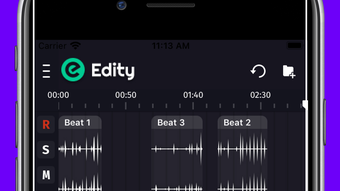
The user interface of Audio Lab MusicVoice Editor is designed for touch-based navigation, typical of iOS applications. Users can expect intuitive gestures such as tapping, swiping, and dragging to manage audio clips. The layout likely prioritizes accessibility, with clearly labeled buttons and a streamlined workflow for recording and editing.
Navigation appears to follow standard iOS design patterns, allowing users to switch between recording, playback, and editing modes with minimal friction. The app’s lightweight nature suggests efficient memory usage, though exact performance metrics were not provided. The developer did not specify resource usage details, so general assumptions about CPU and RAM behavior are limited to typical mobile app behavior.
Stability is expected to align with Apple’s ecosystem standards, especially since the app runs on iOS 16.4 or later. However, without firsthand testing, definitive claims about crashes, lag, or background performance cannot be made. Users may experience smooth operation under normal conditions, but real-world performance may vary based on device model and background app activity.
Compatibility & System Requirements
Audio Lab MusicVoice Editor is exclusively available for iOS devices. It requires iOS 16.4 or a later version, ensuring it leverages current system capabilities and security updates. The app is optimized for iPhone models that support this operating system, though specific hardware requirements were not listed.
The installation size is 12.8 MB, which is compact and suitable for devices with limited storage. This small footprint reduces installation time and minimizes impact on device performance. The developer did not provide additional system requirements, so compatibility with older iPhone models cannot be confirmed.
Users should ensure their device is running a supported version of iOS before attempting installation. For those using outdated systems, an update may be necessary to access the app. No information was provided about cloud integration, external device support, or file format compatibility beyond the app’s core functionality.
Pros and Cons
Pros
- Free to download and use, making it accessible to a wide audience.
- Compact file size (12.8 MB) ensures quick installation and minimal storage use.
- Available in three languages: English, German, and Russian.
- Designed for iOS 16.4 or higher, ensuring modern performance and security.
- Simple interface ideal for beginners and non-technical users.
Cons
- Exact performance details and system requirements were not specified.
- Limited to iOS platform; no support for Android or desktop.
- No information provided about advanced audio features or export formats.
- App has not been tested by Softonic, so real-world reliability is unverified.
- Only available on iPhone, restricting cross-device usage.
FAQ Section
Is Audio Lab MusicVoice Editor available for Android?
The app is currently only available for iOS devices. There is no information indicating an Android version is in development.
Can I use this app offline?
Yes, the app functions without an internet connection, as it is a local audio editing tool designed for on-device processing.
How often are updates released?
The developer has not disclosed a release schedule for updates. The latest version is 1.8.0, released on August 3, 2023.
Is the app safe to download?
As a free app published on Softonic, it is distributed through a trusted platform. However, users should always verify the source and review permissions before installation.
What types of audio files can I edit?
Specific file format support was not mentioned. The app likely handles common audio formats used on iOS, such as MP3, AAC, and M4A.
Final Thoughts + CTA
Audio Lab MusicVoice Editor offers a lightweight, free solution for basic audio editing and voice recording on iPhone. Its simple interface and multilingual support make it accessible to a diverse user base. While advanced features are not highlighted, the app delivers essential tools for everyday audio tasks, such as trimming clips or capturing voice notes.
Although the app has not been tested by Softonic, its compatibility with iOS 16.4 and small size suggest a focus on efficiency and usability. It is best suited for casual users, students, and content creators who need a no-frills audio tool without installation costs.
For those seeking a reliable, free audio editor on iOS, this app presents a promising option. Download Audio Lab MusicVoice Editor now.







